When you add a source, ZynfoAI splits its text into smaller pieces called chunks, about 1,000 characters each, with a little overlap so a sentence isn’t cut off from its context. When a customer asks a question, the agent looks for the chunks closest in meaning to the question, picks a few from different sources where it can, and writes its answer from them. That’s why a clear, specific page gives better answers than one long page that covers many topics.

View a source’s chunks

  1. Go to Data sources.
  2. Open the More actions menu on the source’s row and click View content.
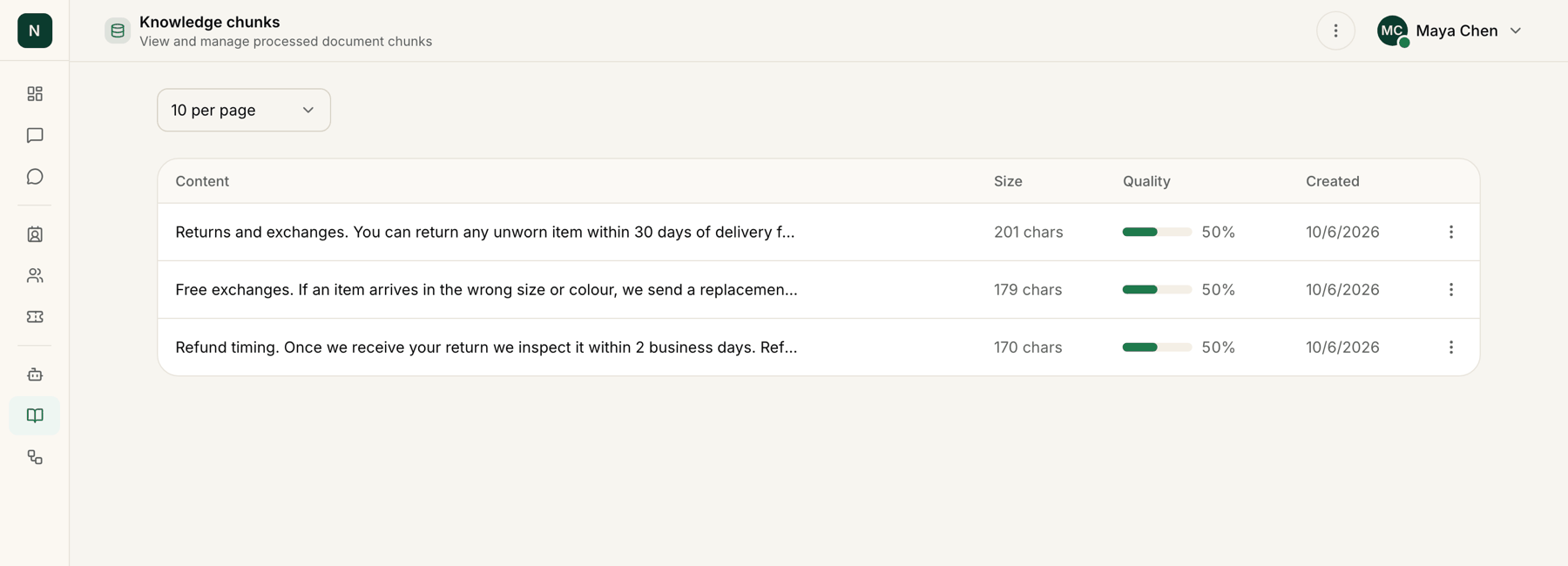
The Knowledge chunks page lists each chunk with its first words (Content), Size, Quality and Created date. Use the View details action on a row to read the whole chunk, with its size, word count and quality score. Back to sources returns to the list.
Knowledge chunks table listing three chunks of returns policy text with their size, quality and created date.

A source's chunks: short pieces of text the agent can answer from, with sample data.

Chunks are read-only. To change what the agent knows, edit the page or file, then retrain it or add it again.

Check a wrong answer

If the agent gets something wrong:
  1. Find the source that should hold the answer and open its chunks.
  2. If the information isn’t there, the page may not have been read fully. Retrain it, or add a page or file that states it plainly.
  3. If old information is there, update the page and retrain it, or remove the outdated source.